
Mobile Store Theme + MEGA BONUS

Mobile Store Theme  + MEGA BONUS
Version: 2.0
Reward Points: 0
Price: $25.00
Ex Tax: $25.00

2 or more $27.00
5 or more $24.00
10 or more $21.00

Available Options


Install support:


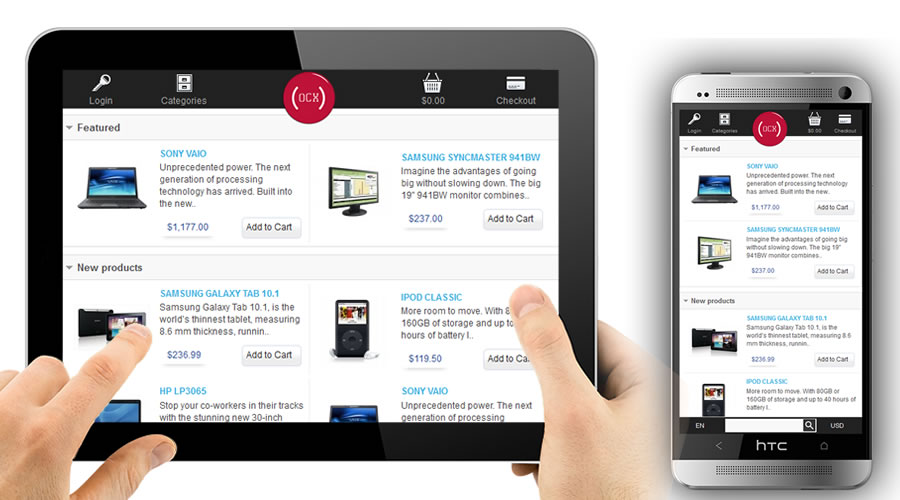
Need a mobile version for your store?

Mobile Store Features:

  • allow your customer to buy from your store using a phone 
  • support modules
  • 4 modules special designed for  mobile devices
  • cart system
  • checkout
  • categories
  • search product
  • register user

Chech demo here:  http://demo2.oc-extensions.com/modules/          (check with your phone. otherwise you will see default oc theme)

Special offer:

Buy Mobile Store Theme and receive a MEGA BONUS:

TWO of module from list below:

Write to [email protected] with your option for Bonus.

Compatibility
Supported OC Versions 1.5.1.x - 1.5.5.1
VQMOD Required NO
MultiStore Support NO

Mobile Store - Change Log

version 2.0

- added support for oc 1.5.5.1 

version 1.9

- switch function betwwen mobile view/ desktop view (require vqmod)

version 1.4 - 1.8

version 1.3

- added suppor for oc 1.5.4.1

version 1.2

- added support for oc. 1.5.3.1

version 1.1

- fix HTTP_ACCEPT warning

version 1.0

Release date: April 5, 2012, 20:00 

What does it do

Need a mobile version for your store?

Mobile Store Features:

  • allow your customer to buy from your store using a phone 
  • support modules
  • 4 modules special designed for  mobile devices
  • cart system
  • checkout
  • categories
  • search product
  • register user


BONUS:

Don't forget about bonus module.

Requirements:   

Opencart    v. 1.5.1.x  - 1.5.5.1

How to install it:


Install

-    Unzip and upload the contents of “upload” directory to the root directory of your OpenCart installation, preserving directory structure

By default Mobile Store  has [english] language and [default] theme.

    * [english] and [default] means that if you have different language and theme just copy in your language and theme 


If your store use other language than english:

  • go to catalog/language/english/ and copy directory called "mobile_store"
  • paste directory copied in catalog/language/your_language/
  • translate files in your language

Example: 

$_['text_login']       = 'Login';          change to      $_['text_login']       = 'Login text in your language';


If you use other theme than default:

  • go to catalog/view/theme/default   (after you unzip files provided by us)
  • copy content of directory "default"
  • go in your theme directory and paste there


After upload process, login as admin.    (  http://www.yourstore.com/admin/   )

Now go to Admin Area and install Mobile Activator.

  • Extension -> Module  , than search for "Mobile Activator" and Click "Install".   (this module will detect mobile devices)
  • After that click  Edit on "Mobile  Activator".

Setup module for layouts (like in image above).


Mobile Store Module - Settings


Choose products: If you want all products to be available on mobile version leave empty (by default) column "Selected products". (RECOMMENDED)

If select few products modules like (Mobile Store - Featured , Mobile Store - Bestsellers, Mobile Store - Latest and Mobile Store - Special CountDown )

will display only products that are included in products list (from "Selected products column" ).

Example: Selected products column has: Product A, Product B and  Product D

You want to set Android Store - Featured with this products: Product A, Product B, Product C, Product D.

Product C - is NOT displayed because you specified in (admin area of Android Store) that PRODUCT C in not in "Selected Product LIST".

Image (WxH): Recomemded: 100 x 100  


Installing Default Android Store Modules:


a) Settings  for Mobile Store - Special offers


b) Settings  for Mobile Store - Featured


c) Settings  for Mobile Store - Latest


d) Settings for Android Store - Bestsellers


How look my store? 

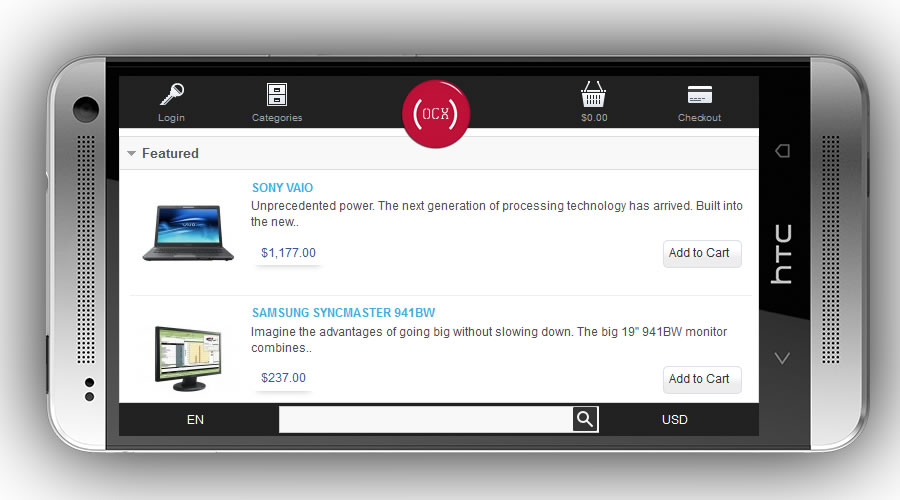
Home page - view (you can choose from module area if you want a module to be collapsed or expanded)


- Capture from HTC EVO 3D

- Home page with all modules collapsed


- Category List page


- Category Page


- Search area


- Product Page  - screen 1

screen 2


- screen 3


Product Image  Gallery


Cart


Checkout


Powered By OpenCart
OC extensions © 2013
